클래스 상호작용을 위한 스마트폰 응용의 설계 및 구현
김일민
*요 약
애플사가 아이폰을 2007년에 출시함에 따라, 휴대폰이 통신기기뿐만 아니라 다양한 생활 도구로 널리 활용하게 되었다. 교육 분야에 있어서도 스마트 폰을 활용한 다양한 시도가 이루어지고 있다. 본 논문에 서는 스마트폰을 활용하여 학습자와 교수자간의 다양한 통신 수단을 제공함으로서 교육 효과를 높이는 스마트 폰 응용 프로그램을 설계하고 구현하였다. 이러한 스마트폰 응용을 실제 강의 환경에 시법 적용 함으로서 교육 효과를 높이고, 상호작용에 필요한 시간을 줄일 있다는 사실을 발견하였다.
키워드 : 스마트 교욱, IT 활용 교육
Design and Development a Smart-phone Application for Class Interactions
Il-Min Kim
Abstract
With the advent of smart phones in 2007, smart phones have been used as not only communication device but also important education tools. In this paper, we have developed a smart phone application and its management system for the interaction in the class. The interaction between a teacher and students are important in some large classes. The smart phone application we developed removed the restrictions of interactions in a large class and reduced time need for the interactions. We found that education effects were enhanced, and the time needed for the interaction was reduced.
Keywords : Smart Education, Education with IT.
1. Introduction
1.1 Smart Phones
A smart phone is a mobile phone with more advanced computing capability and data network communication capability than a
※ Corresponding Author: Il-Min Kim Received : November 08, 2014 Revised : December 30, 2014 Accepted : December 31, 2014
* Computer Engineering Deptartment, HanSung University
Tel: +82-10-3273-4315 , Fax: +82-2-760-4442 email: [email protected]
▣ This Research was financially supported by Hansung University.
feature phone. Recent smart phones provide a lot of functions, in addition to communication functions. For example, functionality of portable media players, compact digital cameras, compact video cameras, GPS navigation system, and Wi-Fi and mobile broadband connection capability are included in smart phones. Modern smart phones use mobile operating systems like computer systems. Though many mobile operating systems have been appeared, Google's Android, Apple's IOS, and Microsoft's Window Mobile are more commonly used than other systems.
Since a smart phone is a mobile device and
is based on battery, its computing power is
limited. Though smart phones have limited
capability comparing with notebook computers, newly released smart phones have a lot of features. Quad-core 1 GHz or faster CPUs, high speed Wi-Fi connection, TV and FM radio, voice recognition, eye tracking functions, GPS navigation, and many features are provided by recently released smart phones.
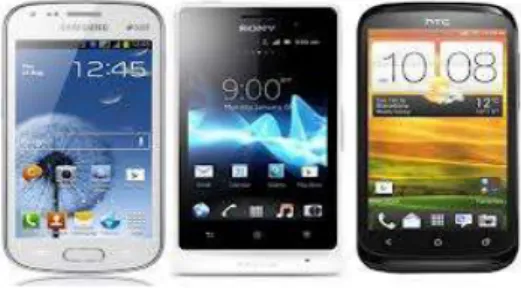
(Figure 1) Android smart phones Recently, iPhone 6 and iPhone 6 Plus were released on September 2014. Pre-oders of the iPhone 6 series exceeded 4 million within its first 24 hours of availability and more than 10 million iPhone 6 series devices were sold in the first three days[9]. This shows that smart phones have become a essential part of modern life.
New smart phones adopted giga-hertz dual core CPU and giga-byte memory. Various input/output devices and sensors were also adopted, such as Multi-touch touchscreen display, triple micro-phone configuration, 3-axis gyroscope, 3-axis accelerometer, digital compass, iBeacon, proximity sensor, ambient light sensor, finger-print reader, and barometer.
1.2 IT for education
Information technology has spawned many innovations and services. Information technology has been widely applied for effective education. These days, students can take on-line lectures, post questions to bulletin boards, and submit assignments using on-line file transmit services. Early smart phones, for
examples, Palm Treo's P800 and Sony Ericsson's N-series, were not widely used for educations because the functions were very limited. Since Apple Inc. released iPhone in 2007, smart phones have gained surprising popularity[1][2][3] and became one of daily necessities. The emergence of smart phones and wireless networks allowed us to access and to handle data almost anytime and anywhere.
With smart phones' gaining popularities, more Universities started to provide education services using smart phones. Existing PC-based on-line education services have changed to provide smart phone services. For examples, many universities provide class registration, book searching in a library, and various multimedia contents with smart phones. MUSIS(Multicasting Services and Information in Sweden) was developed for ubiquitous learning using Smart phones in Sweden. The MUSIS[4] system reported the results of educational activities regarding the use of smart phones and mobile services in the classrooms. Liu[5] provided hearing-impaired students with learning care after classes through smart phones and the GPRS(General Packet Radio Service) network.
Figure 2 show that Lawrence tech's library provides various services with QR codes.
(Figure 2) QR codes for library services
1.3 Interaction for large classesSome university classes are so large enough
to accommodate more than 200 students.
Interactions between the lecturer and students are important in some classes. The interactions would be restricted because of the huge size of the class. For example, the lecturer may ask some questions or call for the yeas and nays vote for a given proposition. It would take long time to count votes for the yeas and nays if the class size is large. A student may not have chance to express her idea in such a large class. These kinds of interactions are very important in philosophy or humanities classes.
The smart phone application[6] used to enhance the education effects. We thought that a smart phone would be a good tool for enhancing the interactions of large classes if a proper smart phone application is developed.
We hoped that our system would be used for famous large scale classes like 'Justice' of Harvard University.
2. Application design
2.1 Requirement analysis
We designed and developed a smart phone education system in order to enhance the education effect of large scale classes. The choice results or various ideas posted should be displayed to all students through the class overhead projector. The system functions and requirements could be summarized as follows.
- Students can send their idea through 3G/4G networks or wireless network connections. Students can view other students idea with smart phones
- Students can take quiz examinations using smart phones. Professor can save time to hand out and collect quiz papers. The system also provides automatic grading services.
- The statistical charts of various opinions should be viewed through the class projector
screen. The professor does not need to count the number of students who agree (or disagree) with some opinions.
2.2 Tools & Technology for Development
Lots of smart phone operating systems are available these days. IOS (Apple), Android (Google), Window Mobile (MS), and Bada (Samsung) are commonly used. There are many limitations for testing and installing applications in IOS. We chose Android operating system because it is widely used and easy to test and install mobile applications.
1) Android SDK
The Android SDK[7] provides the API libraries and developer tools necessary to build, test, and debug apps for Android smart phones. The Android SDK page provides single download the ADT bundle which includes everything needed to begin developing apps. JDK(Java Development Kit) should be installed before installing Android SDK because Android operating system is based on Java language. Java language 5.0 or later version is required for running Android emulator. Android OS has generous policy testing and uploading application compare with Apple’s IOS. Many smartphone manufacturers adopted Android OS. SamSung’s latest smarphone Galaxy S5 adopted the Android 4.4.2 (“KitKat).
2) XML
XML(Extensible Markup Language) is a
markup language that defines a set of rules
for encoding documents both human-readable
and computer-readable. XML is designed to
transport and store data with focus on what
data is while HTML is designed to display
data with focus on how data looks. Since
XML is textual data format using Unicode,
XML is commonly used for interchanging data
over the internet.
3) PHP
PHP(Professional HTML Preprocessor) is a server-side scripting language designed for web development but also used as a general-purpose programming language. PHP is a free software released under the PHP License, which is incompatible with the GNU General Public License. In our system, PHP code is interpreted by the Apache server with PHP module that generates pages. PHP is the most commonly used server-side scripting language.
(Figure 3) Android SDK and emulator
2.3 Platforms for Development
We used for the following platforms for developing the education application. When we selected platforms, we considered the easiness of use, reliability, and cost.
- Two Window 7 installed PCs with 4GB main memory and dual core intel compatible CPU.
- Eclipse with ADT(Android Developer
Tools) plug-in. Eclipse is an IDE(Integrated Development Environment) for developing application in Java. Eclipse is extensible by means of various plug-ins, which include C, C++, PHP, Python, Ada, Ruby, and many other programming languages. Eclipse with ADT is most commonly used to develop android mobile applications.
- Apache Web Server with MySQL. Since Apache Web Server is an open-source web server, it can be downloaded freely. MySQL is also open-source database management system. Apache and MySQL are commonly used among developers and are considered reliable.
- Samsung Galaxy Players (5.0 inch screen) with Android 4.0. Though a Galaxy player does not provide telephone function, it executes Android apps and provides Wi-Fi connections.
3. System Implementation
3.1 System Configuration
The system structure we developed is shown in Figure 4. Every student in the class has his own smart phone. A smart phone in the class can communicate the server computer system through Wi-Fi network.
Enough number of access points should be provided for the class communications.
Overhead projector should be installed in the classroom. Every student can watch class poll result or other students ideas through the class overhead project.
An Apache web server is continuously running for communicating with class smart phones. The PHP script program will process the incoming data from smart phones and store data MySQL database for later use.
Lecture notes, students' information, quiz
problems, and the results are stored in
MySQL.
Apache
PHP Smart Phone
Smart Phone WiFi Connection
Web Server Computer
(Figure 4) System structure
3.2 Application StructureThe structure of the application we have developed is depicted in Figure 5. The system has three main modules: ① Ask/answer module, ② Display opinion/ poll module, ③ Quiz module. A Professor can post opinion poll and send to the poll to students' smart phones. Each student is able to select her opinion and the poll result would be projected to the screen in the class. The professor would interpret and comment the poll result.
For example, a professor may post the following question in the app. “Do you support the same sex marriage?” Each student may express her idea using her smart phone. The result of the poll could be displayed instantly without counting students' hands.
1. Question/Ans Module
2. Opinion Express Module
3. Quiz Module
- Poll dichotomous questions - Write opinion - Multiple choice questions - Register questions - Display poll results
- Raise hands for speaking opinion - Selecting one to speak
- Select at ramdom to speak
- Take quiz
- Show quiz results
- Register quiz problems Our Smart Phone App for Classroom interaction
(Figure 5) Modules in the application
With Display opinion module, students can post their opinion with smart phone, and the opinions should be listed to the class projector screen. The professor may comment some of the opinions. A quiz can be tested using the smart phone without distributing test papers.
The time needed for the quiz would be minimized. Professors' burden for grading the quiz would be minimized.
3.3 System Implementation
This paper is the consecutive work of our previous work[8]. Once the computer server is turned on, the professor can connect to the server using a web browser. Each professor is need to register ID, password, class name and class code. In order to access the system, professors are required to login to access the system. Figure 6 shows login screen and poll question registration screen.
(Figure 6) login and Yes/No question
registration screen
During the lecture, a professor may want to interact with students and listen to student opinions by posting multiple choice questions (or yes/no questions) and may ask students opinions. Each student selects yes or no answer using her smart phone. The selection result will be collected to the web server and displayed in the large screen of the class. Our system reduces the time for this class interactions. Figure 7 shows a sample poll result.
Poll Results Do You Support Same Sex Marriage?
Yes: 55% No: 45%
(Figure 7) Poll Result Example
4. Conclusions
The smart phone application we designed and developed was for providing easy communications in large classes and reducing time needed for class activities. The application exploits smart phones' data communication and computation capability. By using our system, professors have better idea about students' opinion and students in the class can express their idea easily. Professors also save time for interacting with student and testing a quiz. They may concentrate on the class topics with the smart phone application.
Because the classroom we tested did not have enough number of access points, we tested in a medium sized class. Even though we had not tested in full sized classes, our
smart phone application showed the effectiveness for enhancing class interactions and education effects. We believe that smart phones shall be widely used in large classes as assistive tools for enhancing class interactions.
5. Acknowledgement
This research was financially supported by Hansung University.
References
[1] Manoj Kumar, "Impact of the Evolution of Smart Phones in Education Technology and its Application in technical and Professional Studies" Indian Perspe ctive", International Journal of Managing Informatio n Technology, Vol.3, No.3, pp.39-49 ,2011.
[2] Yong-Wee Sek, "Prediction of User Acceptance and Adoption of Smart Phones for Learning with Techn ology Acceptance Model", Journal of Applied Scienc es, Vol.10, pp 2395-2402, 2010.
[3] http://en.wikipedia.org/wiki/Smartphone
[4] Marcelo Milrad, Daniel Spikol, "Anytime, Anywhere Learning Supported by Smart Phones: Experiences and Result from the MUSIS Project", Educational Technology & Society, Vol.4, pp.62-70, 2010.
[5] Chen-Chung Liu, Yi-Ching Hong, "Providing hearin g-impaired students with learning care after classes through smart phones and the GPRS network", Briti sh Journal of Educational Technology, Vol. 38, No 4, pp.727-741, 2007.
[6] Lim Gul, “Research on Developing Instructional Desi gn Models for Enhancing Smart Learning”, Journal of Korean Association of computer education, Vol.
14, No.2, p33-45, 2011.
[7] http://developer.android.com
[8] Sea-hong Cho, Ilmin Kim, "Developing A Smart pho ne Application for the Interactions in Large Classes
", In the proceedings of The 3rd International Confer ence on Convergence Technology, pp741-742, 2013.
[9] http://en.wikipedia.org/wiki/iphone_6
Il min Kim
He has been working for Hansung Univerisy in Computer Engineering Department since 1997.
Ilmin Kim received a B.S. degree in Computer Engineering from KyungBuk National University in 1984 and a Ph. D degree from Arizona State University. He worked for ETRI(a Korean government funded research institute for electric and computer engineering field, 1985-87). After finishing PhD, he worked for SamSung Data System(1996-97). He is currently a Professor at Department of Computer Engineering, HanSung University, South Korea. His current Research interests include distributed computing and operating systems.